01
Bin-level tracking
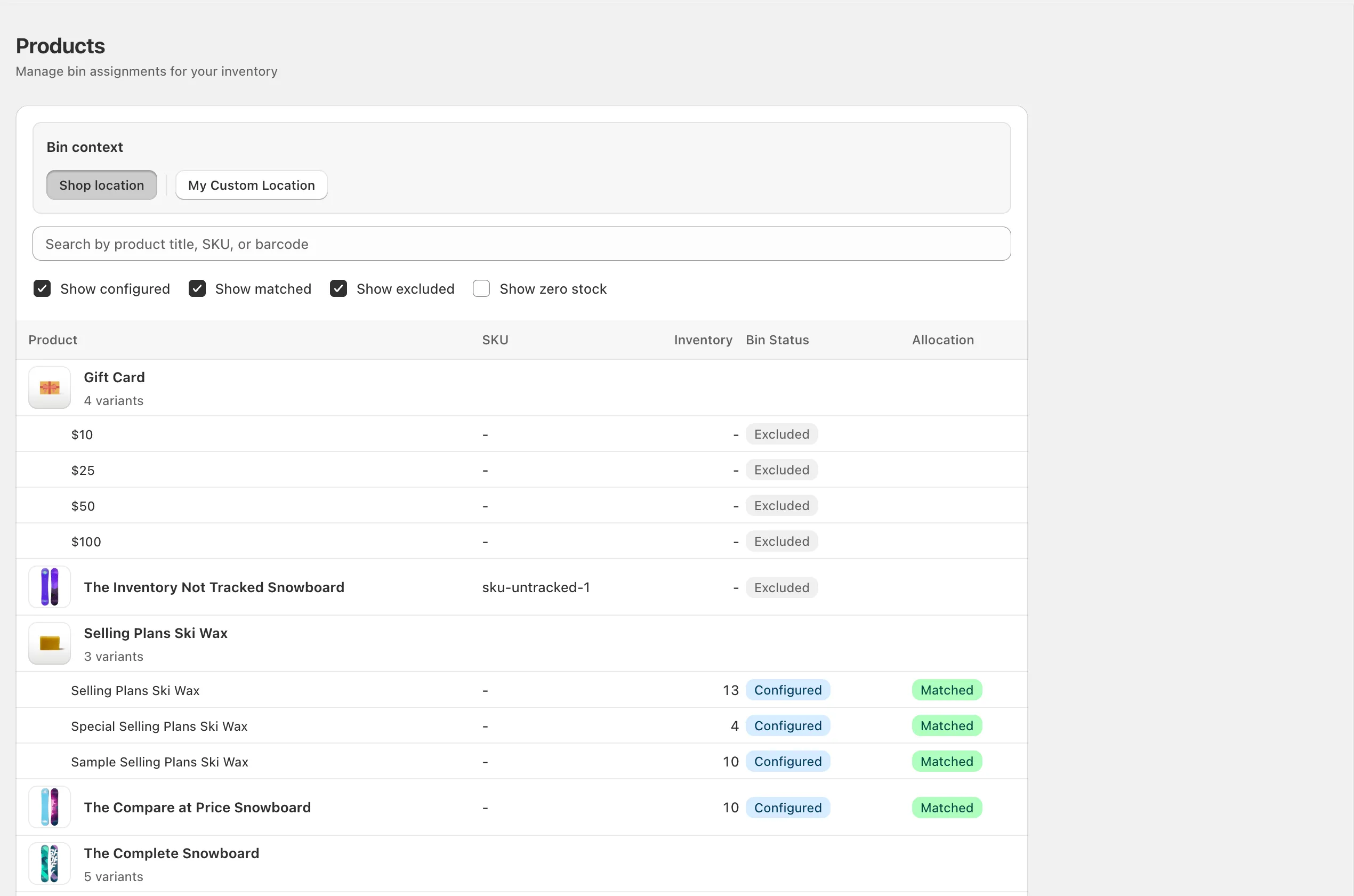
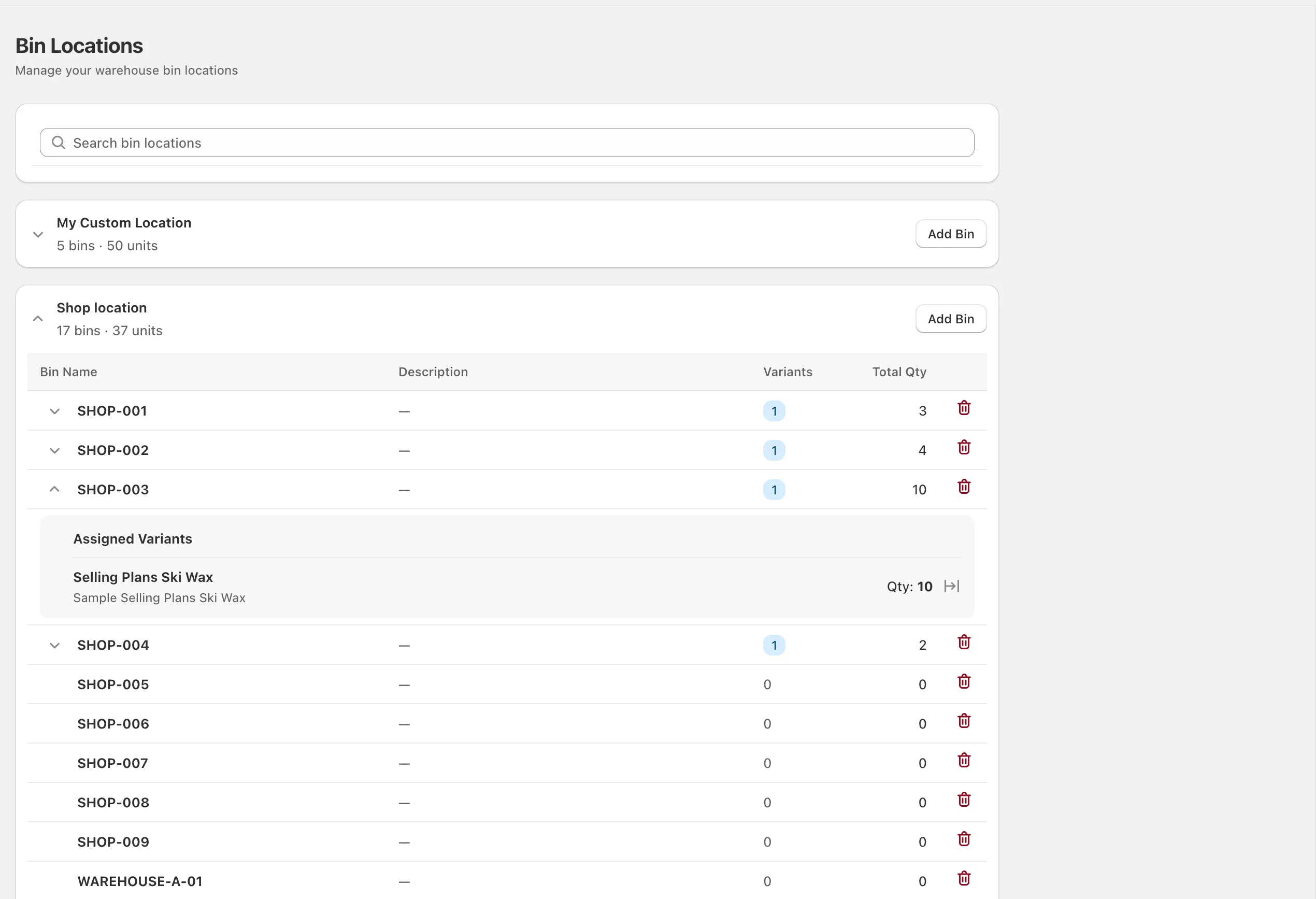
Every variant lives at one or more named bins. Configurable, searchable, and unique per location.
Track one SKU across multiple physical bins, give pickers an exact walking order, and keep every bin total reconciled with Shopify's on-hand inventory.
Put rough numbers around slow picks, empty-bin searches, and backtracking. Then see how little of that time BinTech would need to recover to cover the plan for your catalog.
This is a planning estimate based only on your inputs. Test the workflow on the Free plan and measure your own before-and-after pick time.
BinTech doesn't replace Shopify's inventory. It subdivides it. Every feature is designed for the people who actually walk the aisles.
Every variant lives at one or more named bins. Configurable, searchable, and unique per location.
FulfillmentOrder webhook fires → BinTech generates a location-scoped pick list the moment Shopify routes an order.
Collapsible sections per warehouse, per-location inventory, and 3PL exclusion for anything managed by ShipBob or FBA.
Priority order, single-bin preference, or pick-to-empty. Chosen per shop, overridable per pick list.
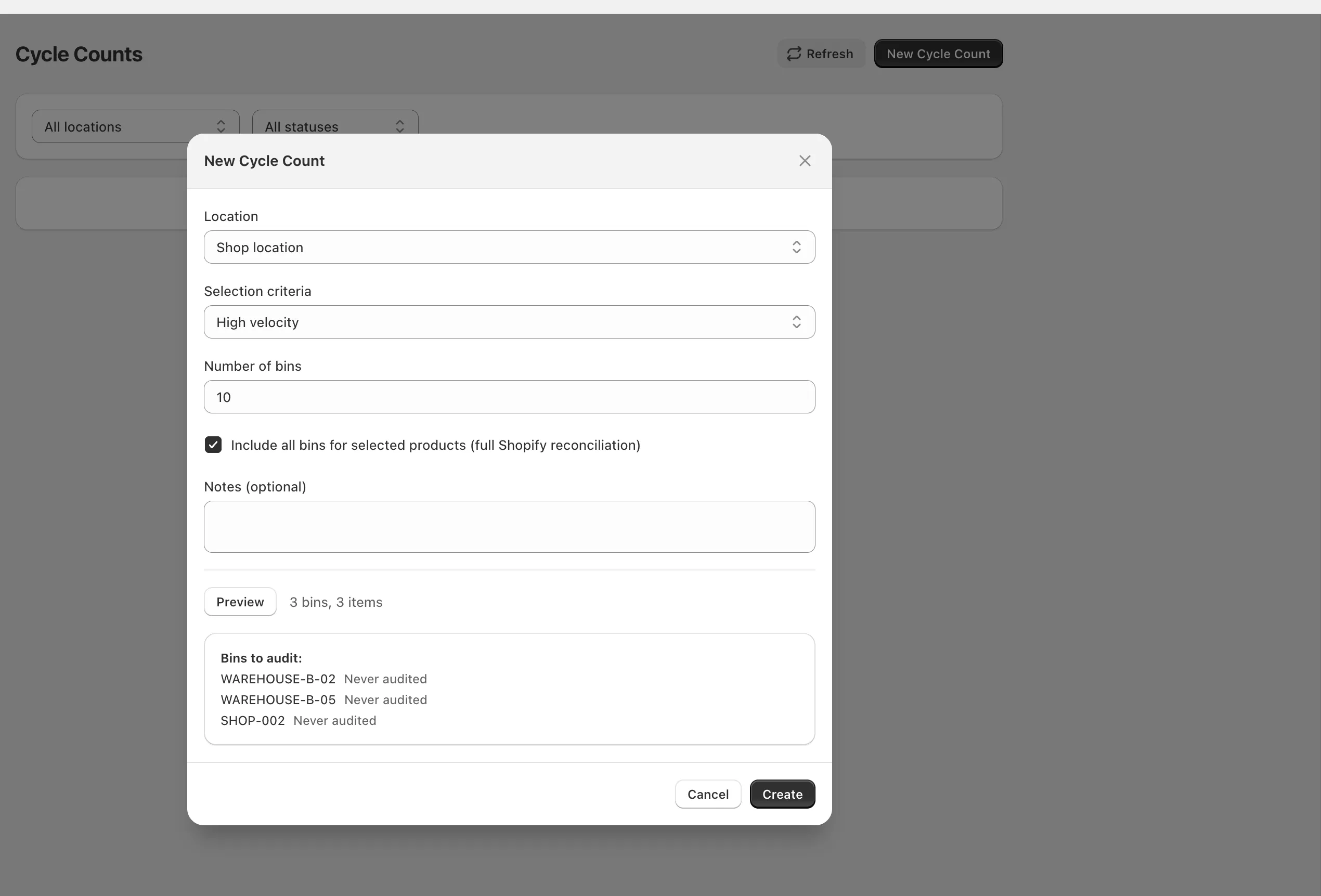
Lock bins, count physical stock, reconcile with Shopify on confirmation. Every movement logged with who, when, and why.
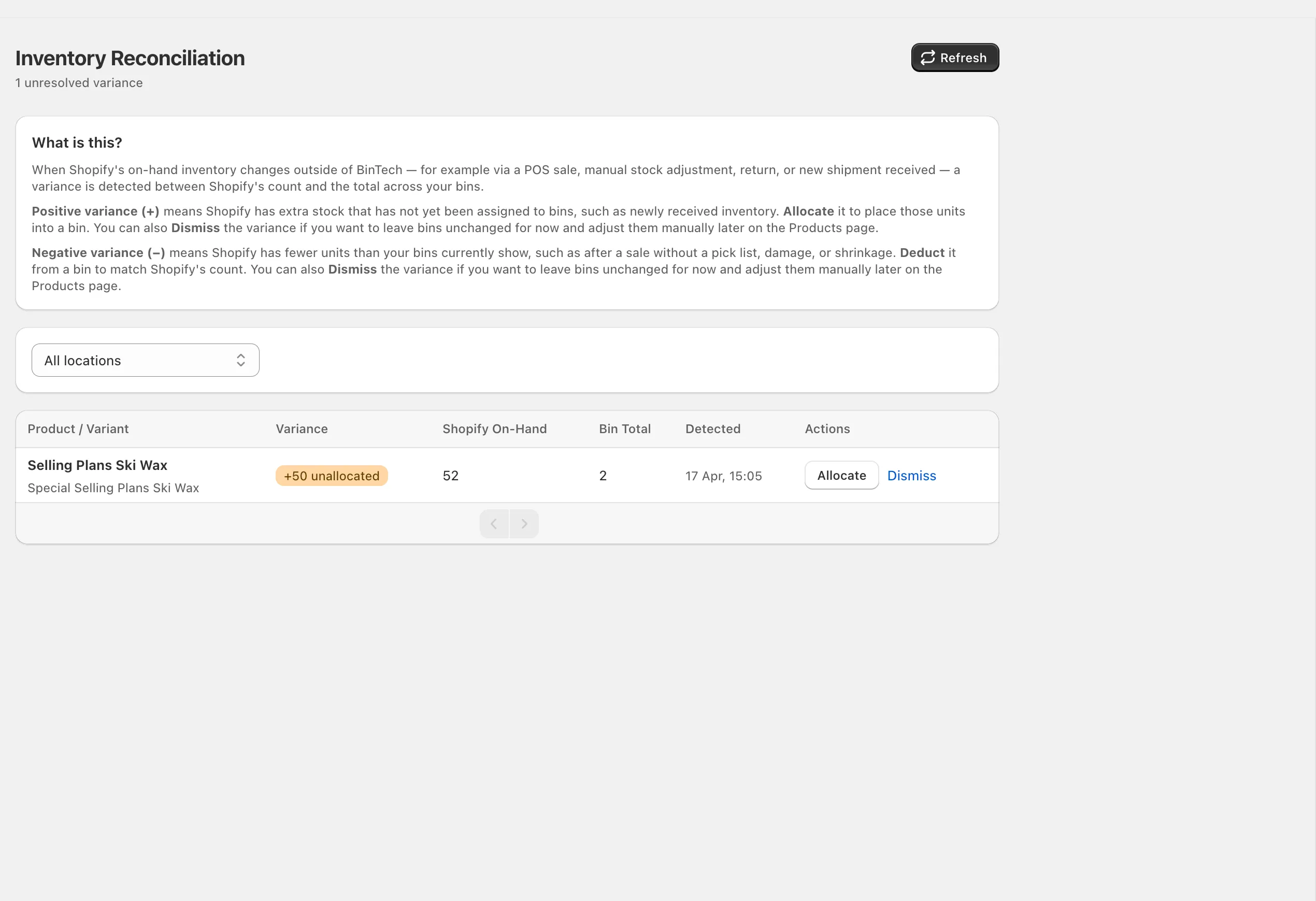
POS sale, damaged stock, surprise shipment? The variance bin catches every external change and surfaces it for review.
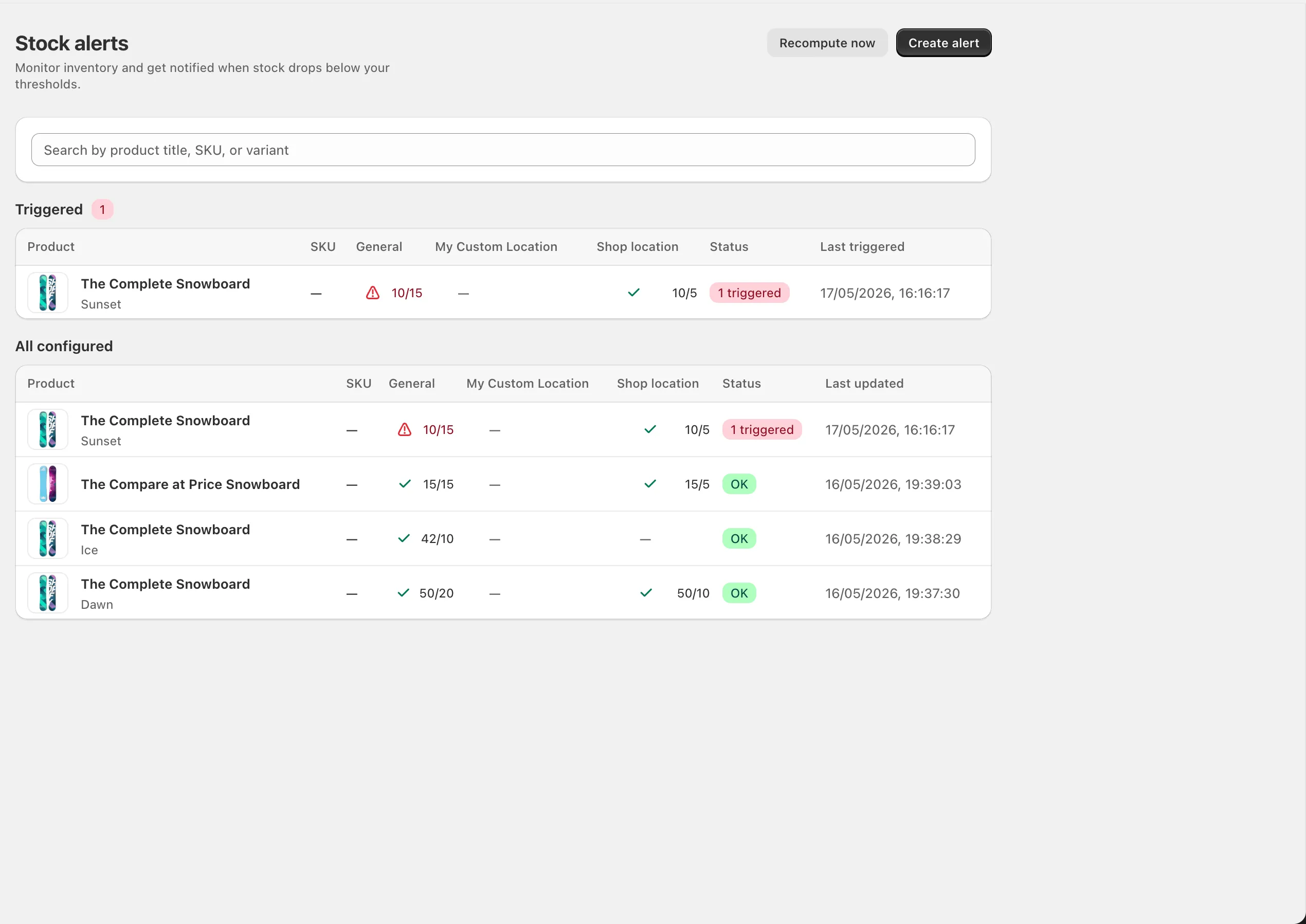
Set per-variant thresholds. When available inventory drops below the line, BinTech fires on the webhook, not a daily cron.
Point a phone camera at a product barcode, SKU, or bin label. BinTech matches it to the pick list and ticks the line. No handheld scanner to buy.
Print fixed-size Code128 labels for bins and SKUs. For products without barcodes, copy SKUs into Shopify's barcode fields for every eligible variant on the current page.
Shopify's native bin name works well when every variant has one permanent shelf. BinTech is for stock split between a pick face, backstock, and other physical bins.
Already using Shopify bin names? Keep them. Add BinTech when you need quantified multi-bin stock, live picking, or continuous counts. See how the models fit together →
Every event that can change your inventory — order placement, picking, fulfillment, POS sales, returns — has a defined handler. Bins and Shopify's on-hand stay in lockstep.
Shopify routes the order. FulfillmentOrder webhook fires with the assigned location.
BinTech picks bins by strategy, subtracts active reservations, and writes a shareable list — no login required for pickers.
Pickers tick items off on a mobile-friendly view. Items can be reassigned to a different bin mid-pick if stock shifted.
All items picked. Bins still reserved. Awaiting merchant confirmation in Shopify.
orders/fulfilled webhook decrements bins for picked items only. Unpicked items become variance for review.
sum(bin.quantity) ≤ Shopify.on_hand · always Every screen is mirrored inside the Shopify admin — your team never leaves the tool they already use for everything else.
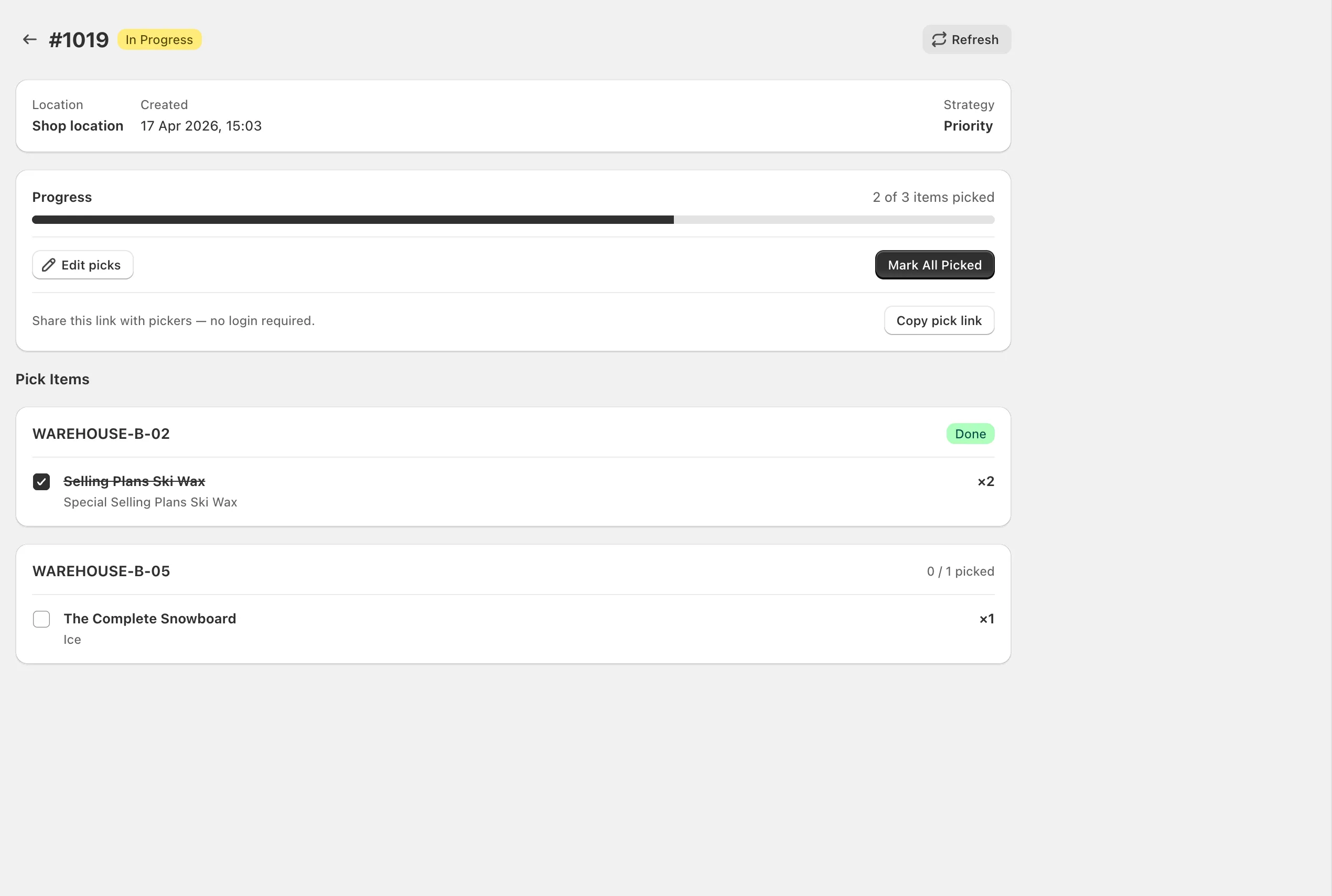
Every order becomes a location-sorted pick list the moment Shopify routes it. Your team walks the shortest path, ticks each line by tapping or scanning, and BinTech decrements the right bins the moment the list completes.
Point a phone or tablet camera at a barcode, SKU, or bin label. BinTech reads it, finds the line, and marks it picked. It works inside the Shopify admin and on the shareable public pick link.
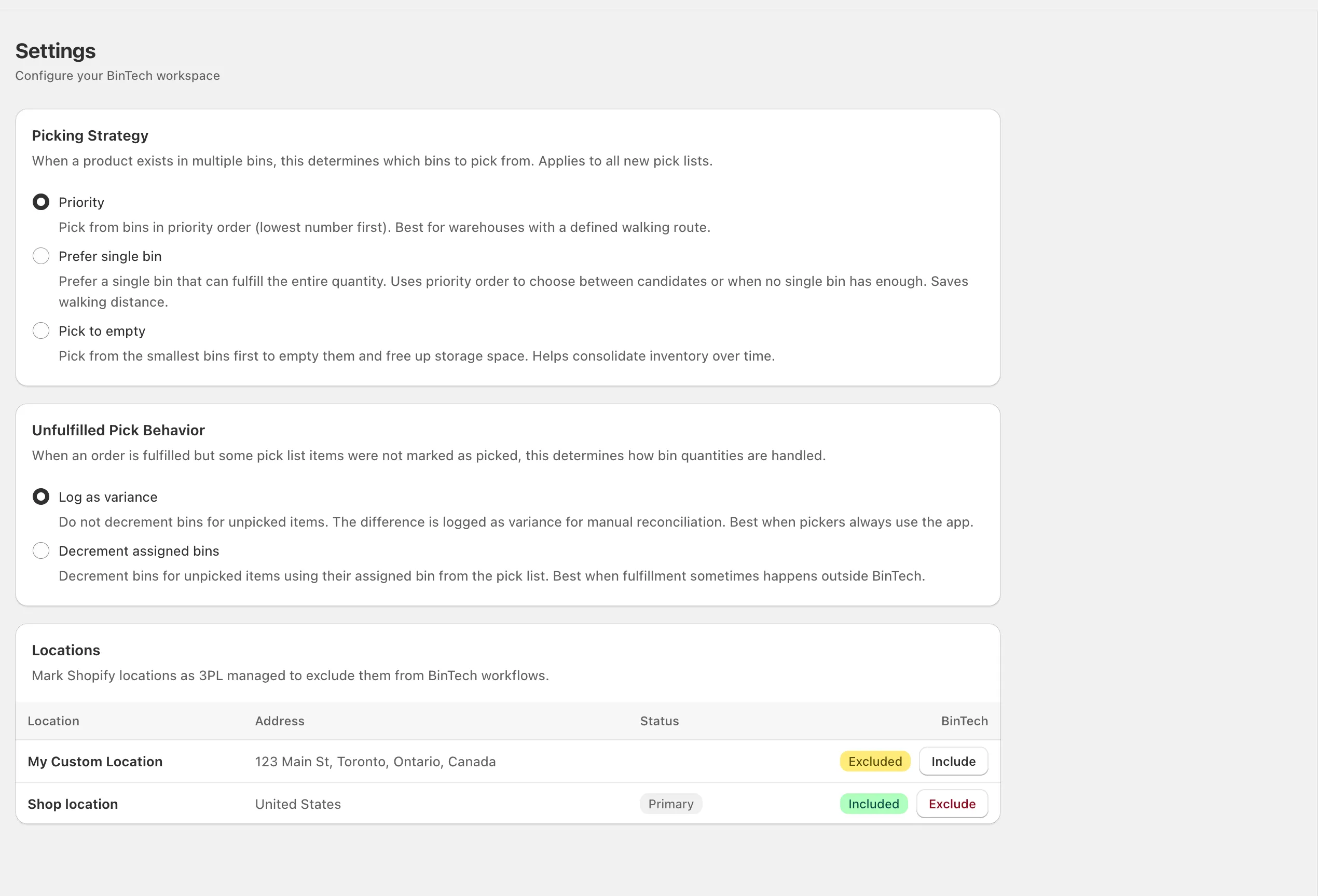
When a SKU lives in more than one bin, BinTech needs a rule to choose. Set one per shop and override it on any individual pick list, right up until the order is in progress.
Pick in the order you built.
Walk the aisle in a defined sequence. Best for warehouses with an established picking route or rack logic.
One stop if possible.
Prefer the bin that holds the full order quantity. Falls back to priority when no single bin can fulfill.
Consolidate as you go.
Empty the smallest bins first. Frees storage over time and keeps your inventory naturally condensed.
A POS sale. A damaged unit. A return you didn't know about. When Shopify's on-hand drifts from your bin totals, BinTech records a variance — with the SKU, the location, and the delta — and waits for you to allocate or dismiss it.
Set a threshold on any variant. The moment Shopify's available inventory crosses the line, BinTech triggers the alert. Sales, adjustments, fulfillments. No polling. No daily cron. Seconds, not hours.
Install BinTech, import your locations, assign your first bin. Your team's on Shopify already; so is the setup.